

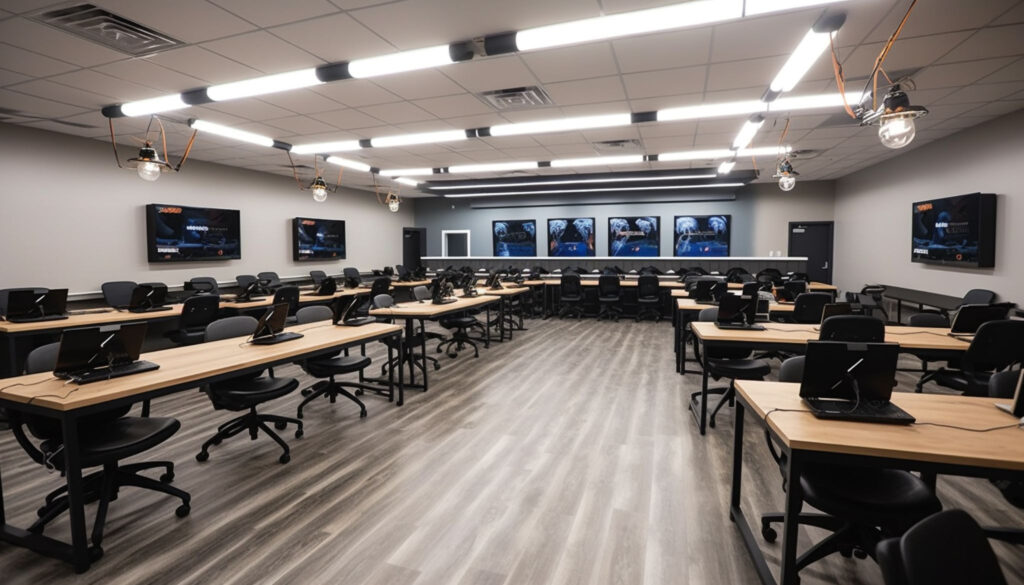
Hybrid classrooms fail for remote learners long before they fail for anyone in the room, and the reasons are almost always physical rather than digital. The software works; the remote student cannot hear a question asked from the back, cannot see what was written on the board, and spends the session at a disadvantage nobody in the room notices. Addressing that is a room design problem that has to be solved before the platform is configured. Six planning steps cover what determines whether a smart classroom actually works for people who are not in it.
1. Start From What Remote Learners Need to See and Hear
Design the room around the remote experience rather than adapting an existing room and hoping. List what a remote participant must be able to follow: the teacher, the board or display content, other students when they contribute, and any practical demonstration.
Each of those is a separate capture requirement, and a single camera at the front covers one of them. Establishing the list first determines everything that follows.
2. Treat Audio as the Priority Rather Than Video
Remote learners tolerate imperfect video and disengage quickly from poor audio, and audio is where most rooms fail.
The hard problem is capturing student contributions from anywhere in the room, which a single microphone at the front does not do. Ceiling microphone arrays, distributed microphones, or a pass-around solution all address it differently, and the right answer depends on room size and teaching style.
Acoustic treatment matters equally. Hard surfaces, which most classrooms have in abundance, produce reverberation that microphones capture and remote listeners struggle with. Treatment on walls and ceilings is unglamorous and frequently makes more difference than the microphones themselves.
3. Plan Camera Coverage and Tracking Around Teaching Style
A teacher who stands at the front needs different coverage from one who moves constantly or works among groups.
Ask how the teachers using the room actually teach, since tracking cameras need defined zones and a camera following movement unpredictably is worse than a fixed wide shot. Plan where the teacher can go, where the camera covers, and what happens when they step outside it.
Separate coverage for student contributions is worth considering where discussion forms part of the teaching.
4. Position Displays for Both Audiences
Remote participants need to be visible to the room, and the room needs to see shared content, which frequently means more than one display.
Consider where the teacher looks, whether they can see remote participants while teaching, and whether in-room students can see both content and remote faces. A single display showing only content leaves remote learners invisible, which affects how much they participate.
Check sightlines from actual seating positions rather than from the front of the room.
5. Configure the Platform Around the Room, Not the Reverse
Once the physical layout is settled, configure ClassIn software or whichever platform you use to match it: which camera and microphone sources are used when, how content is shared, how breakout activity works for remote participants, and how the teacher switches between modes without stopping the lesson.
The configuration should be simple enough for a teacher to operate while teaching, since anything requiring attention mid-lesson will be abandoned within a term.
6. Train Teachers on the Room Before It Goes Live
A well-designed room used badly performs worse than a simple one used well.
Run sessions where teachers practise with a colleague acting as a remote participant, so they experience what the remote end actually receives. That experience changes behaviour more than any instruction, particularly around repeating questions asked in the room.
Testing From the Remote End Before Rollout
The step most often skipped is joining a full lesson as a remote participant and assessing it honestly: can you hear every contribution, read everything written, and follow the session without strain.
Do that before signing off the room rather than after students report problems. Where something is not working, it is considerably cheaper to address during commissioning than once the room is in daily use.
Contact Media Architects to discuss your room, your teaching requirements, and how a hybrid classroom would be designed around them.


